

CorelliCalibrationApply v1#
Summary#
Apply Corelli calibration results onto input workspace
See Also#
Properties#
Name |
Direction |
Type |
Default |
Description |
|---|---|---|---|---|
Workspace |
InOut |
Mandatory |
CORELLI workspace to calibrate |
|
CalibrationTable |
Input |
Mandatory |
TableWorkspace containing calibration table |
Description#
Update the CORELLI instrument geometry with calibration data stored in a predefined calibration table workspace. The current inputs are:
Workspace: EventWorkspace generated from CORELLI instrument
CalibrationTable: TableWorkspace with predefined layout.
The calibration table must have the following columns
ComponentName: name of each component in the CORELLI instrument
Xposition, Yposition, Zposition: these three columns specify the absolute translation in the calibration for each component
XdirectionCosine, YdirectionCosine, ZdirectionCosine: these three columns specify the rotation axis (direction cosione) for each component
RotationAngle: the absolute rotation angle in degrees for each component
Applying the calibration involves the following steps:
translate each component by
(Xposition, Yposition, Zposition)rotate each component by
RotationAngledegrees around rotation axis(directionCosine, YdirectionCosine, ZdirectionCosine)
Usage#
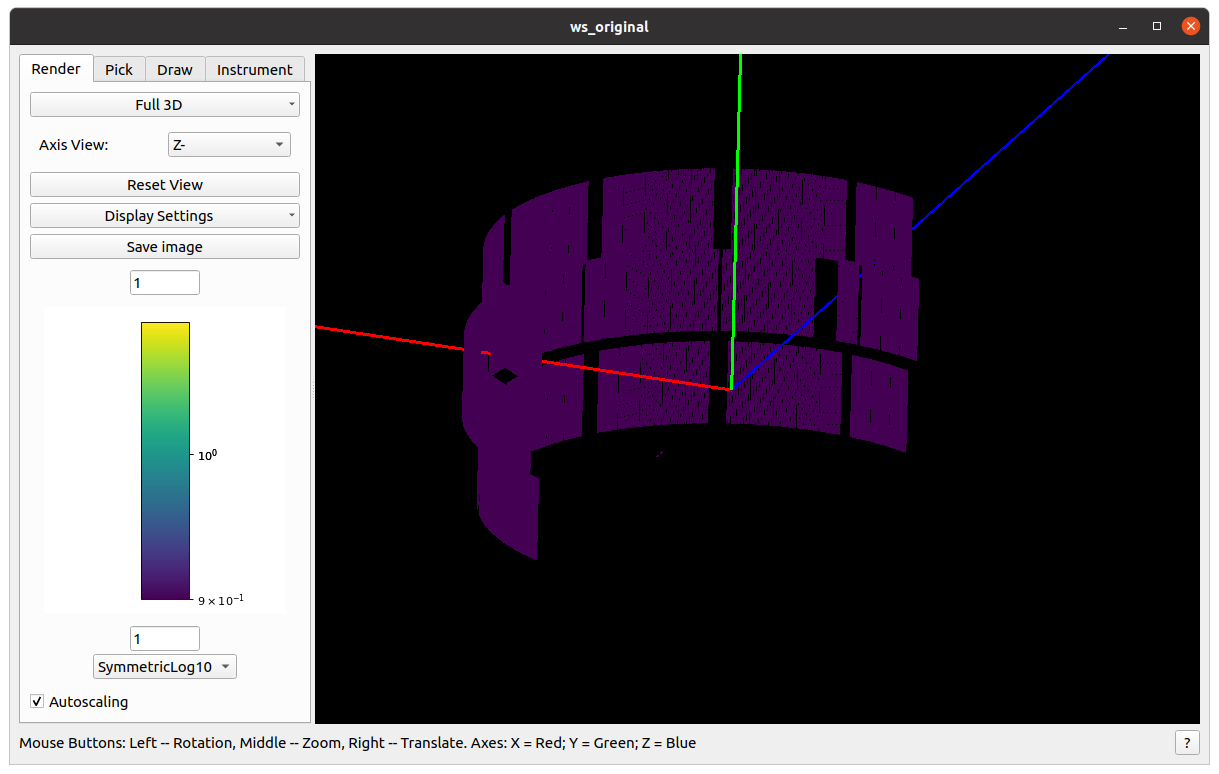
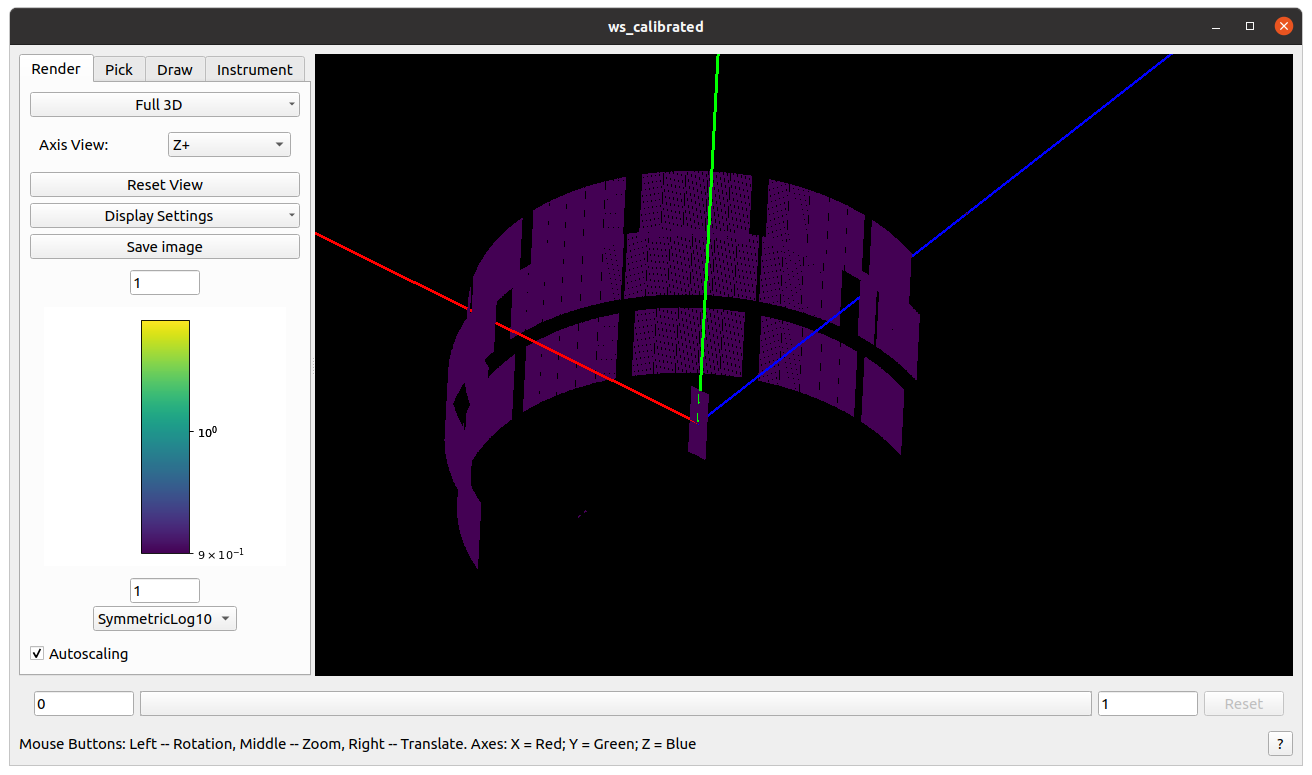
Example - move bank42 (perpendicular to x-axis) 180 around y-axis
# import mantid algorithms, numpy and matplotlib
from mantid.simpleapi import *
import matplotlib.pyplot as plt
import numpy as np

# setting up a mocked calibration table
calitable = CreateEmptyTableWorkspace()

headers = [
    "ComponentName",
    "Xposition", "Yposition", "Zposition",
    "XdirectionCosine", "YdirectionCosine", "ZdirectionCosine", "RotationAngle",
    ]
datatypes = ["str"] + ["double"]*7

for dt, hd in zip(datatypes, headers):
    calitable.addColumn(dt, hd)

calitable.addRow(["bank42/sixteenpack", 0., 0, 0., 0,1,0,180])  # move to (0,0,0) and rotate to (0,1,0)@180degree

# load empty instrument
ws_original = LoadEmptyInstrument("CORELLI_Definition.xml")
ws_calibrated = ConvertToEventWorkspace(ws_original)

# apply the calibration to ws
CorelliCalibrationApply(ws_calibrated, calitable)  # in-place operation
The original instrument view
and the calibrated instrument view (notice one panel is moved to the center and rotate to (0,1,0)@180 degree)
Categories: AlgorithmIndex | Diffraction\Calibration
Source#
C++ header: CorelliCalibrationApply.h
C++ source: CorelliCalibrationApply.cpp