

CreateGroupingByComponent v1#
Summary#
Creates a GroupingWorkspace where all components matching the search criteria, under a given parent component, are grouped together. These groups are then subdivided by GroupSubdivision
See Also#
Properties#
Name |
Direction |
Type |
Default |
Description |
|---|---|---|---|---|
InstrumentName |
Input |
string |
Name of the instrument to base the GroupingWorkspace on |
|
OutputWorkspace |
Output |
Mandatory |
The detector grouping workspace. |
|
ComponentNameIncludes |
Input |
string |
Search String for determining which components should be grouped, such components MUST contain this string |
|
ComponentNameExcludes |
Input |
string |
Search String for determining which components should be grouped, such components MUST NOT contain this string |
|
ExcludeBranches |
Input |
string |
Search String for flagging any components which should not be searched through when looking for the target strings |
|
GroupSubdivision |
Input |
number |
1 |
Number of subgroups to create for each collection of components. Minimum is 1. |
Description#
A utility algorithm for grouping detector components together based on repeated component names (i.e. if you wanted to group all the pixels in each module together). Specifically, every component which matches the search conditions will have all its child detectors (excluding monitors) grouped together with the child detectors of the other matching components which are present under the same parent component.
This is best illustrated by example.
You have an instrument that has the following hierarchy Banks -> Module -> Pixels.
Let’s say there are two banks called bank1 and bank2. Then each bank is made up of three module named
module1, module2 and module3, respectively.
Finally each of these module contains 5 detector pixels: pixel1, pixel2, pixel3, pixel4, and pixel5
If you want to create a GroupingWorkspace where each bank forms its own detector group,
you can formulate this as grouping together “module” components (using ComponentNameIncludes = "module”).
The algorithm will find all the components with names containing the term "module",
find their child detectors (in this case, this is a set of 5 pixels per module),
and group together all of these child detectors which belong to components appearing under the same parent component
(i.e. grouping all detectors belonging to modules which appear under the same parent bank -
resulting in a unique grouping for each bank)
In some situations you may have components you do not wish to include in the grouping preset within the instrument tree,
which entirely contain the name of the actual component you are looking to match
(for example transmission-pixel1 when searching for pixel components).
In these cases you have two options, you can use ComponentNameExcludes or, in some situations ExcludeBranches.
ComponentNameExcludes is used to alter the condition of which components meet the search criteria. When this is set
the detectors of components
Additionally, entire branches of the Instrument Component Tree can be excluded with ExcludeBranches,
no components will be grouped under any parent component
with names containing any of the comma separated strings provided here.
Usage#
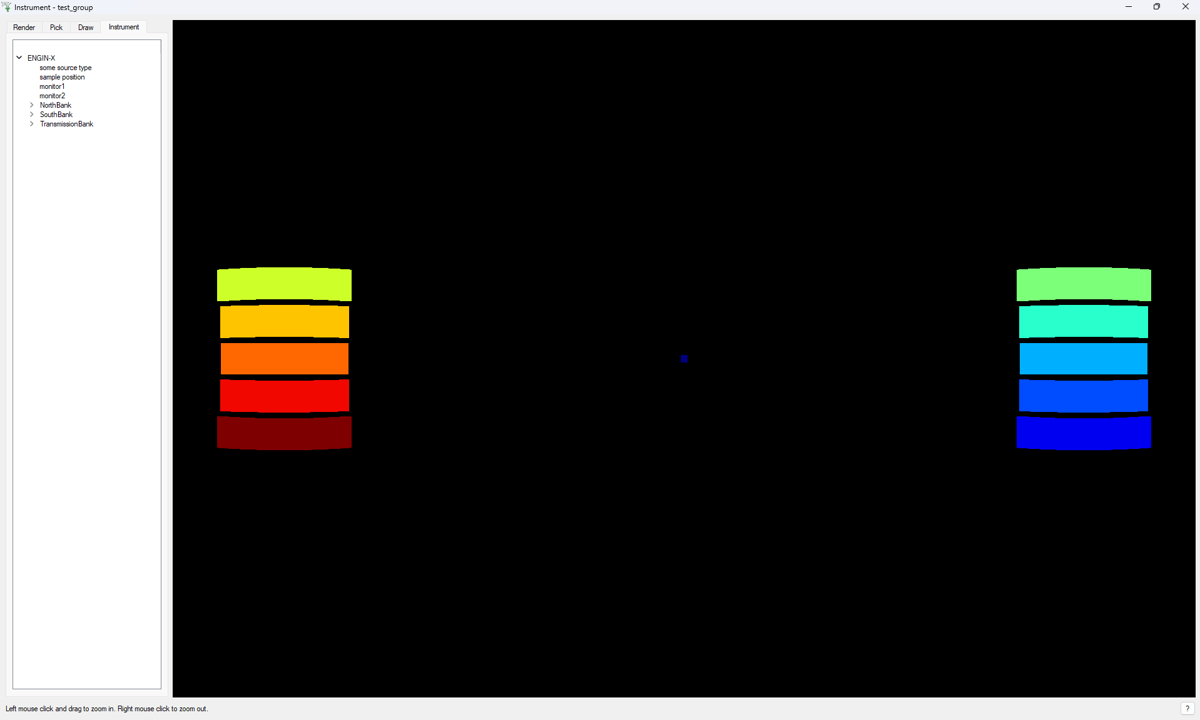
Example: Grouping ENGINX blocks together
from mantid.simpleapi import *
import matplotlib.pyplot as plt
import numpy as np

CreateGroupingByComponent(InstrumentName = "ENGINX",
                          OutputWorkspace = "test_group",
                          ComponentNameIncludes = "block",
                          ComponentNameExcludes = "transmission",
                          GroupSubdivision = 1)
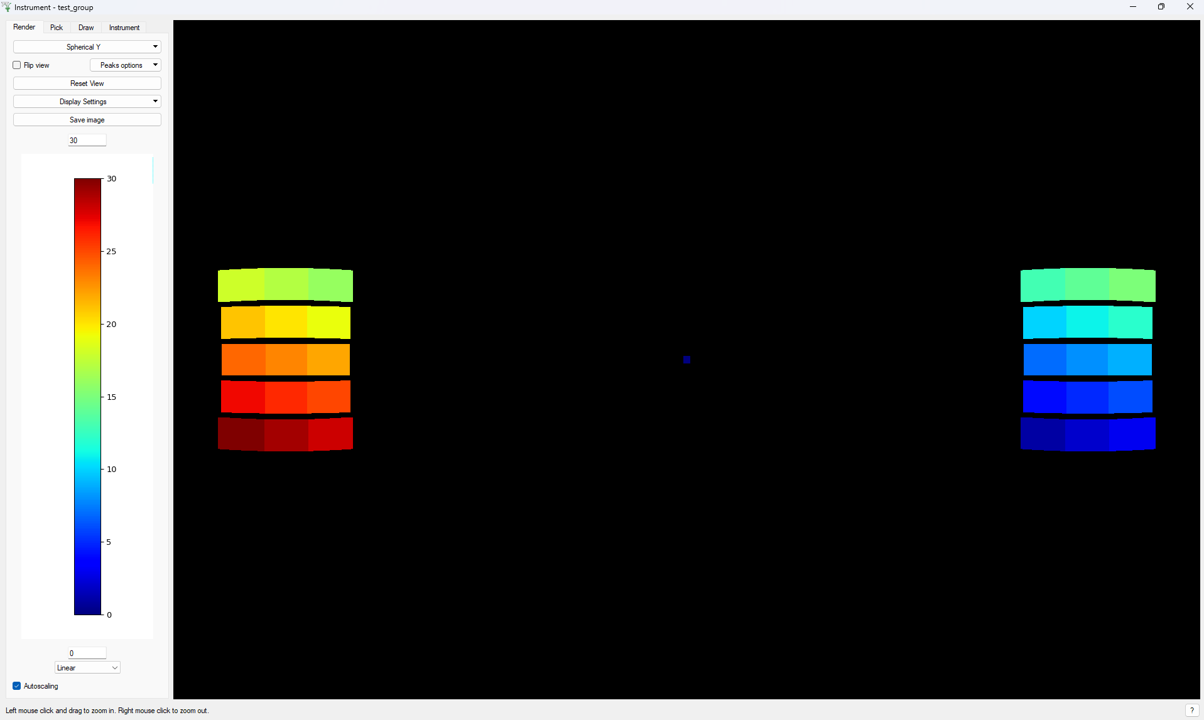
Example: Grouping ENGINX blocks together, then subdividing by 3
from mantid.simpleapi import *
import matplotlib.pyplot as plt
import numpy as np

CreateGroupingByComponent(InstrumentName = "ENGINX",
                          OutputWorkspace = "test_group",
                          ComponentNameIncludes = "block",
                          ComponentNameExcludes = "transmission",
                          GroupSubdivision = 3)
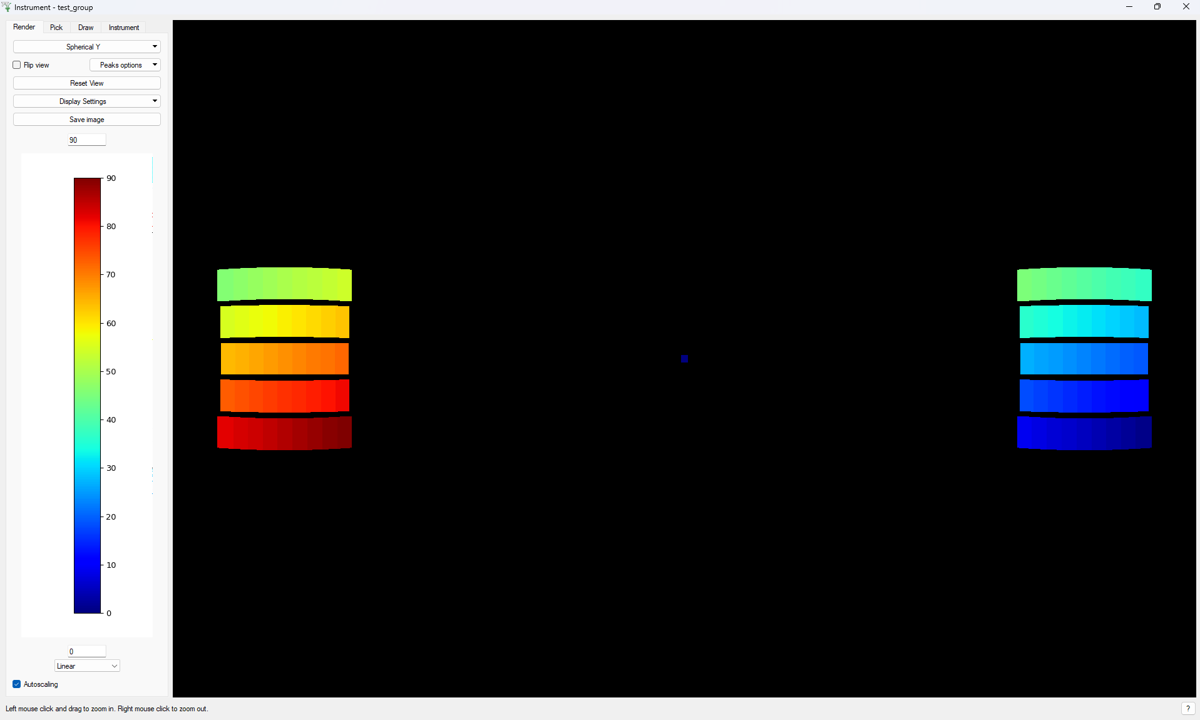
Example: Grouping ENGINX pixels together, excluding transmission-pixels
from mantid.simpleapi import *
import matplotlib.pyplot as plt
import numpy as np

CreateGroupingByComponent(InstrumentName = "ENGINX",
                          OutputWorkspace = "test_group",
                          ComponentNameIncludes = "pixel",
                          ComponentNameExcludes = "transmission",
                          GroupSubdivision = 1)
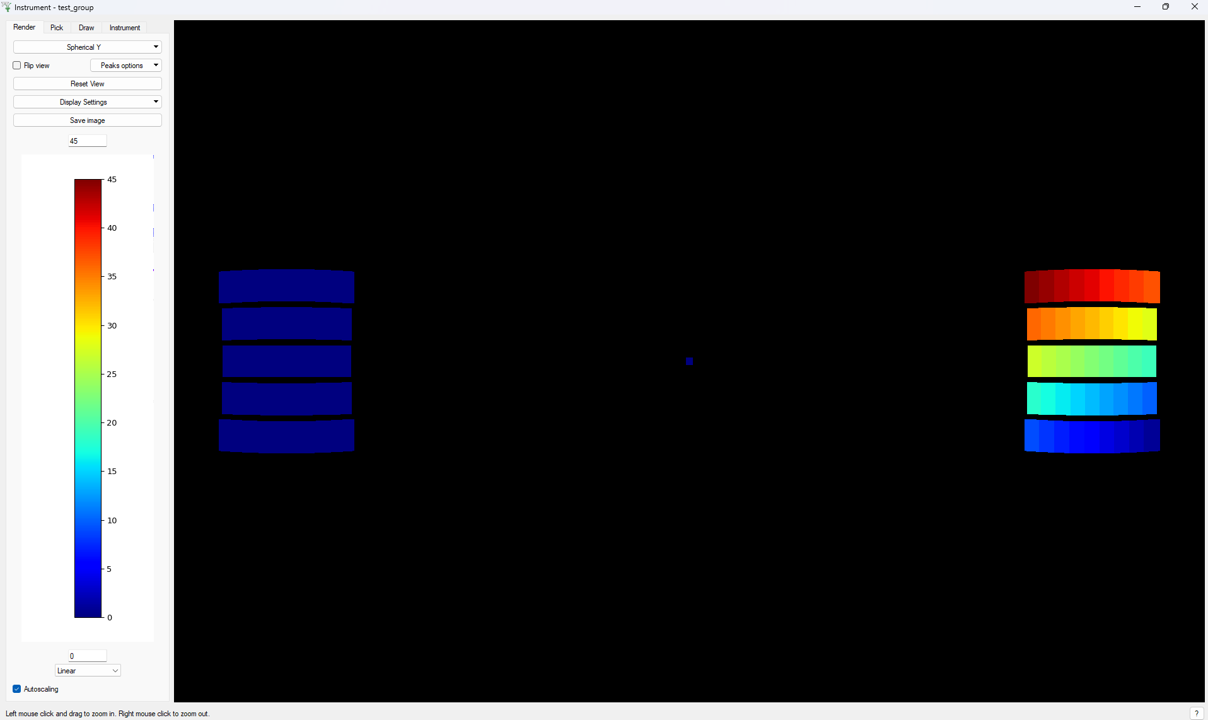
Example: Grouping ENGINX pixels together, excluding the NorthBank and TransmissionBank
from mantid.simpleapi import *
import matplotlib.pyplot as plt
import numpy as np

CreateGroupingByComponent(InstrumentName = "ENGINX",
                          OutputWorkspace = "test_group",
                          ComponentNameIncludes = "pixel",
                          ExcludeBranches = "NorthBank, Transmission",
                          GroupSubdivision = 1)
# note that either the exact string "NorthBank" or substring "Transmission" can be provided as comma separated strings
Categories: AlgorithmIndex | Diffraction\Engineering
Source#
Python: CreateGroupingByComponent.py